
# App Engine
# Concepts
The App Engine allows to execute Tasks (see Task dev guide for information about how developers create Tasks compatible with Cytomine App Engine). Tasks could be AI apps or simpler scripts to manipulate data and generate results.
# Applications
The Applications Tab shows available Tasks on your Cytomine instance and allows to add new Tasks (provided they are packaged to be compatible, see Task dev guide) or delete useless Tasks.
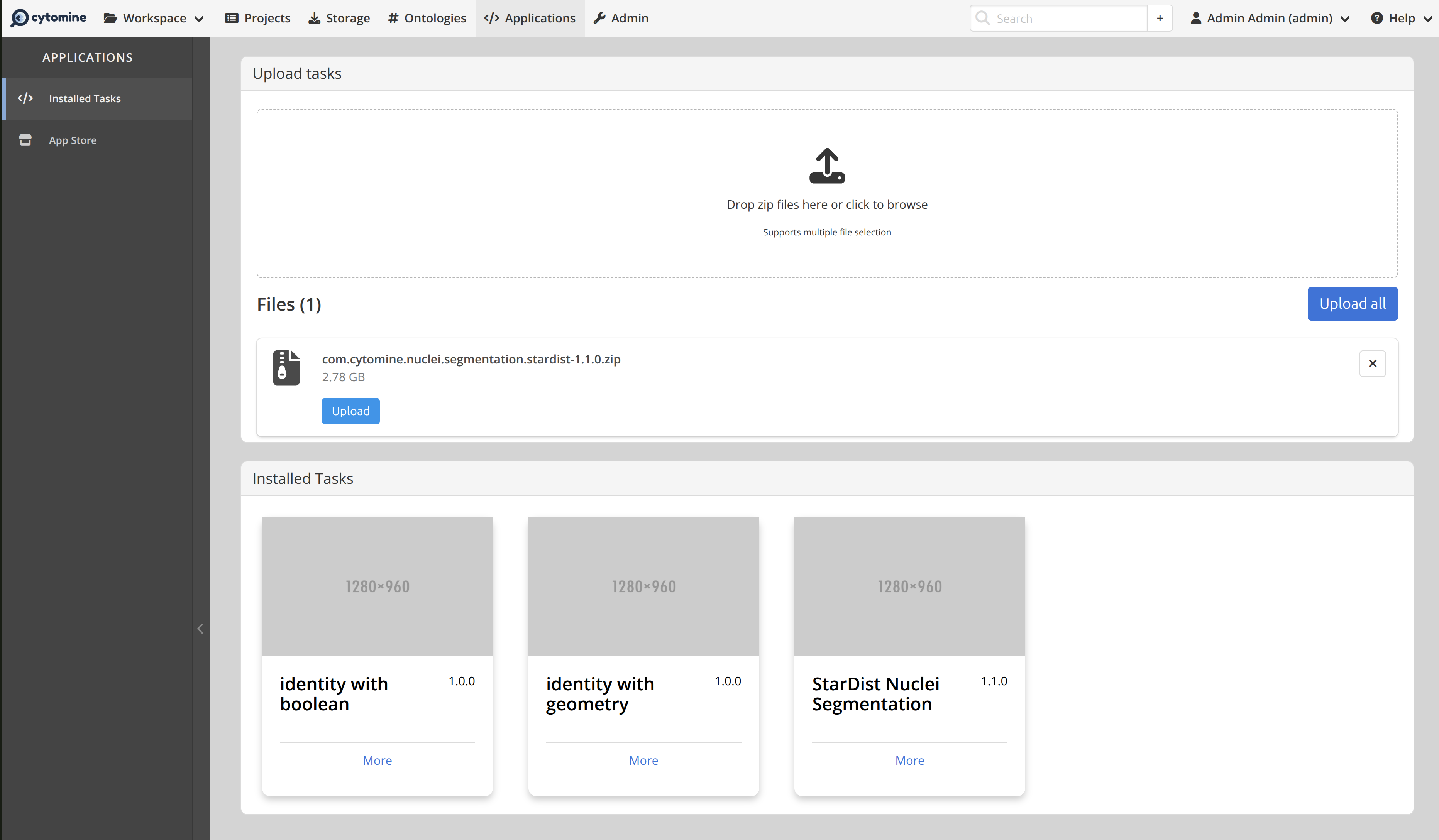
# Run a Task
Tasks can be run directly in the image viewer through the App Engine panel (bottom of the screen):
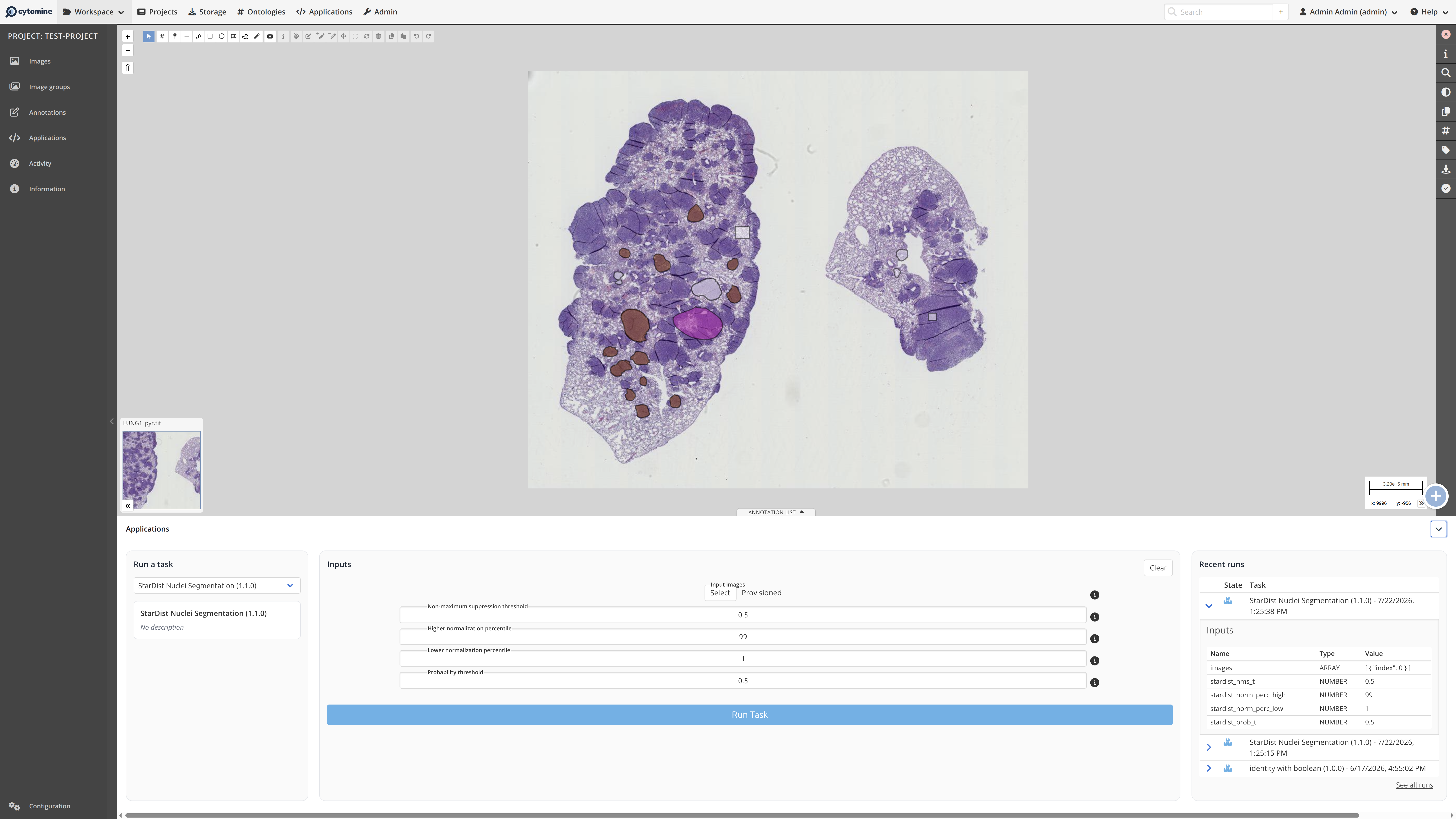
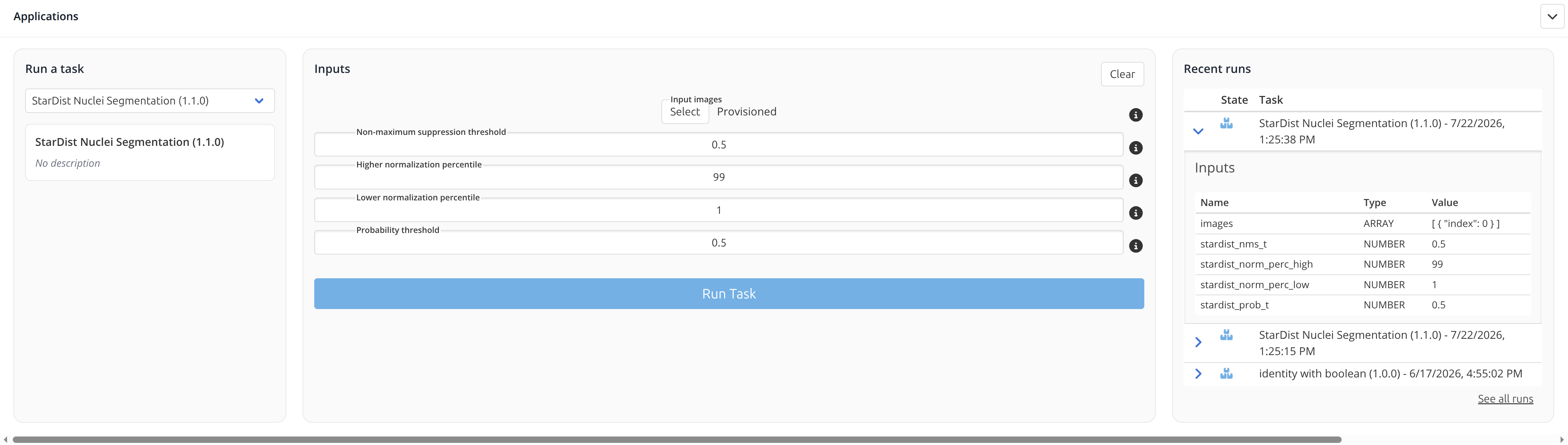
The panel allows to select a Task (left), parameter values for this specific task, run the Task, and see logs of recent runs:
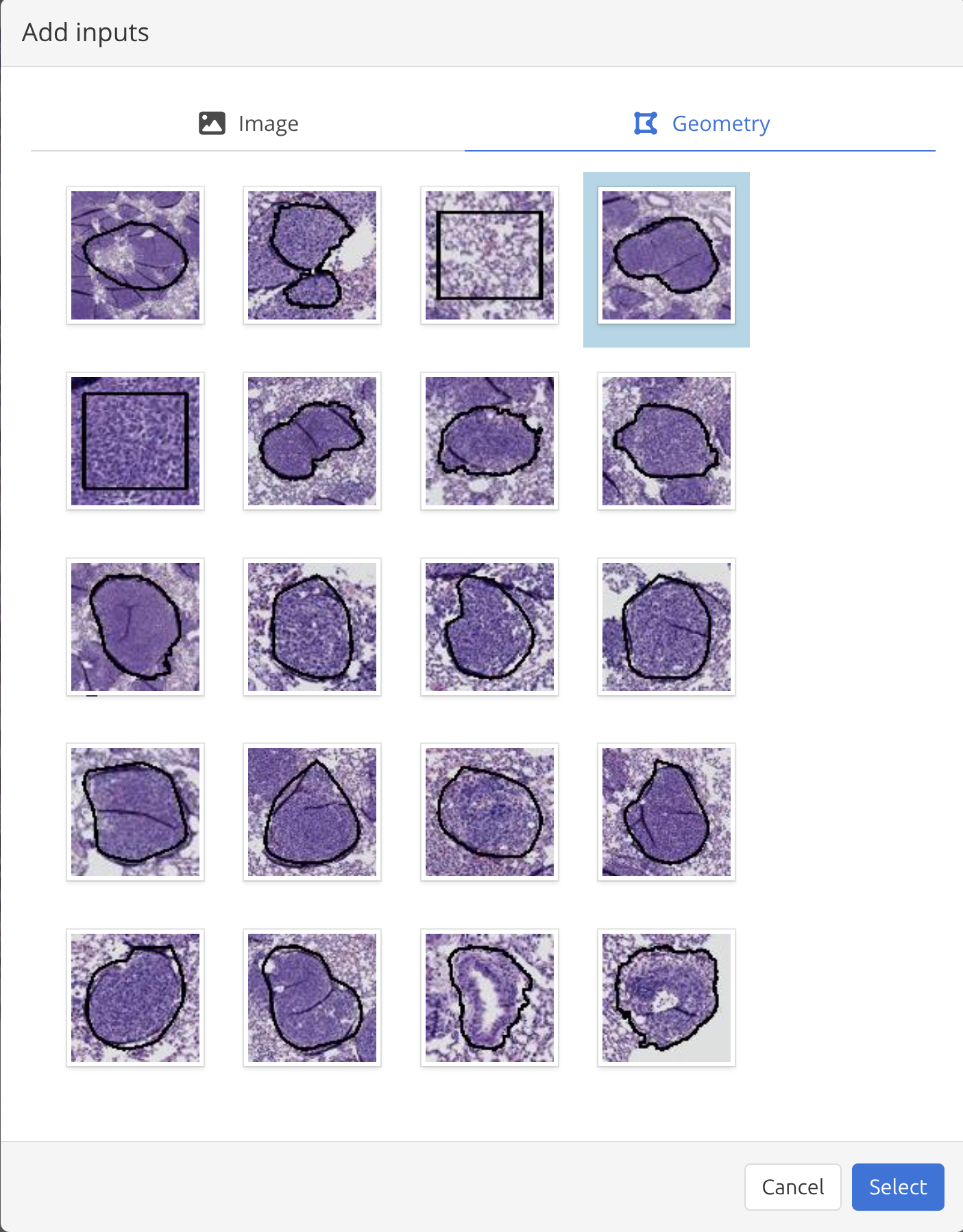
If a Task takes as inputs images or geometries, a dialog allows the user to select image(s) or geometries:
Task outputs can be seen and downloaded in the log of recent runs, or if a Task creates geometries, they are visible in the annotation layers.
← Storage